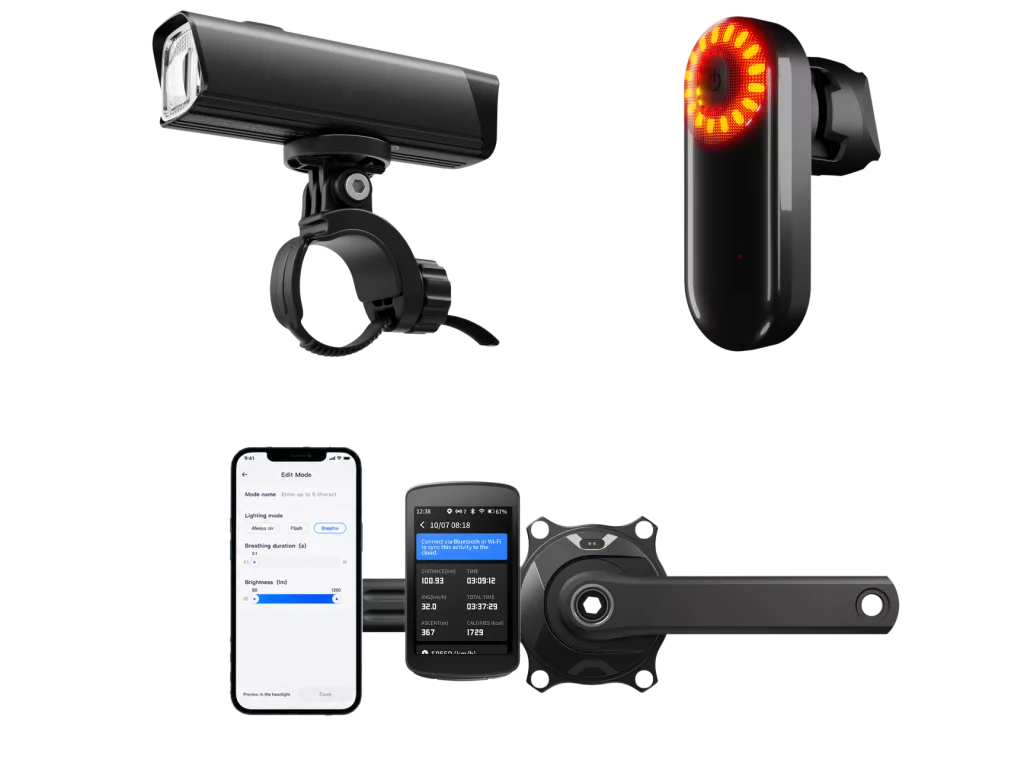
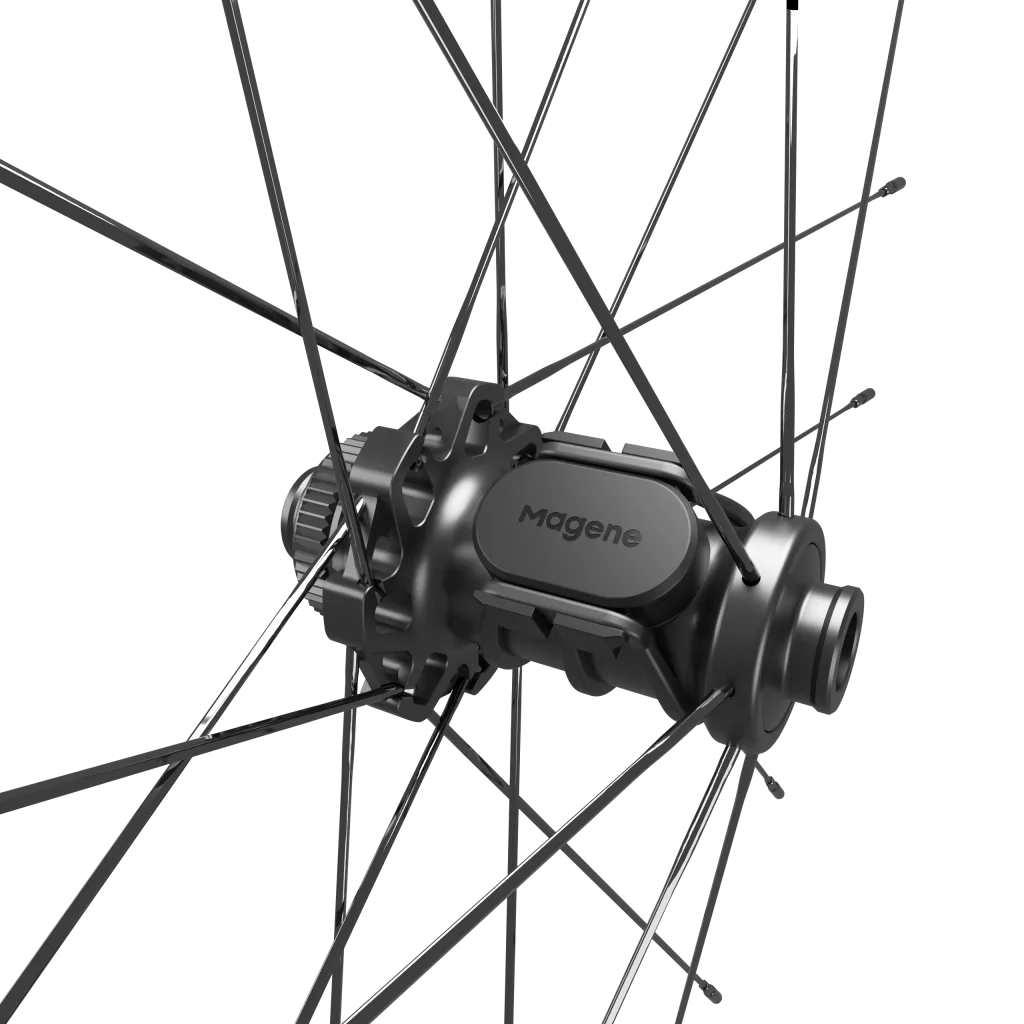
Speed and cadence sensors turn wheel and crank rotation into cycling data. A bike speed sensor detects wheel rotation. The system combines this data with wheel circumference to calculate speed and distance. A cadence sensor tracks crank rotation to show pedalling rate in revolutions per minute, or rpm.
For bicycle brands, that basic sensor function is only the starting point. The product must also fit the bike, connect to the intended devices and behave predictably when riding conditions change.
The 30-second answer
| Question | Speed sensor | Cadence sensor |
|---|---|---|
| What does it detect? | Wheel rotation | Crank rotation |
| Where does it usually mount? | Wheel hub, depending on design | Crank arm, depending on design |
| What does the system display? | Speed and distance | Pedalling rate in rpm |
| What needs checking? | Wheel circumference, fit and connection | Mounting, operating mode and connection |
Speed and cadence describe different parts of a ride, but neither alone directly measures rider power. A compatible bike computer can bring these readings together on one screen, alongside heart rate from a separate sensor. To define that sensor package, brands first need to understand how each measurement is produced.
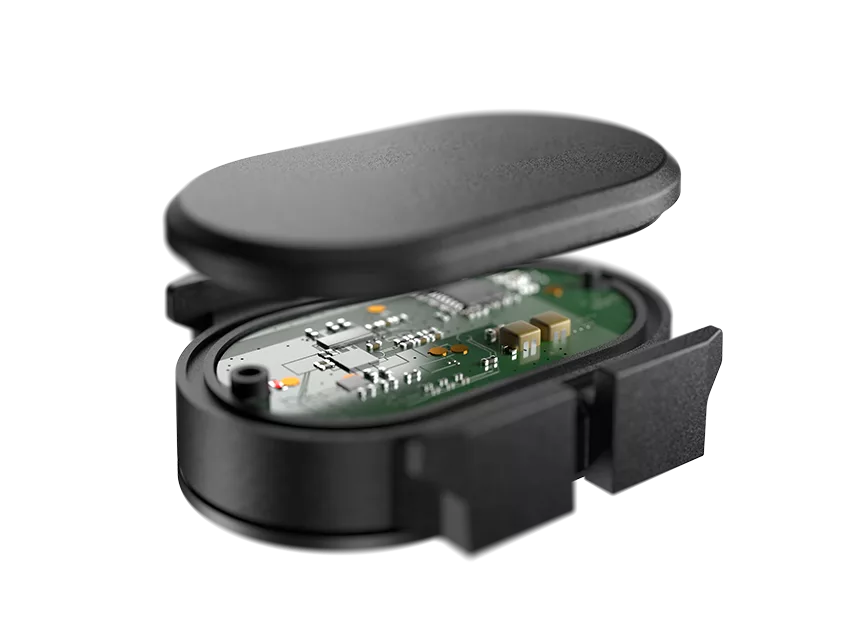
Some sensors work by detecting an external magnet passing an internal sensing point. Others do not require an external magnet and rely on built-in sensing and processing for detection.
These magnet-free designs do not all use the same detection method. For example, Wahoo’s technical specification describes a three-axis accelerometer used to detect changes in the orientation of the hub or crankset. Garmin’s speed-sensor specification describes a magnetometer that detects rotation by tracking changes relative to the Earth’s magnetic field.
These are examples of different product designs, not universal rules for every cycling sensor. Therefore, brands and manufacturers must first confirm the specific sensing method used by their chosen platform.
The sensor must be capable of distinguishing rotation from other movements (such as vibrations at the crankshaft). Therefore, manufacturers should include a vibration detection test when validating sensor samples. Once a reliable rotational event has been identified, the system can calculate readings based on the number of events and the time intervals between them.
Turn rotation into data
Detecting each revolution gives the system a count. To turn that count into cadence, it also needs elapsed time. For example, 15 crank revolutions in 10 seconds equal 90 rpm. This measures pedalling rate; it does not reveal how hard the rider pushes.
Wheel speed uses the same rotation-and-time principle, with one extra input: wheel circumference. Each full wheel revolution covers one circumference, assuming the wheel rolls without slipping. With a circumference of 2.10 metres and four revolutions per second, calculated speed is 30.24 km/h.
If the entered circumference is 2% too large, calculated speed and distance will also be 2% too large under this model. That makes wheel-size setup part of the product workflow. For example, Garmin’s speed-sensor calibration instructions offer automatic or manual wheel-size settings on the device described.
Connect the system
The sensor sends data over a supported wireless connection, such as ANT+ or Bluetooth, to a bike computer, watch or app. For Bluetooth sensors using the Cycling Speed and Cadence Service, transmitted data can include revolution counts and event times. The receiver can use these to calculate cadence, or combine wheel data with circumference to calculate speed. The sensor need not send a finished number in km/h.
The receiver software then presents these measurements on the screen in a useful format. For example, Magene’s Bluetooth Sensor Guide covers topics such as pairing and selecting cycling data fields. For brands, this means that spot checks should cover the entire workflow: sensor detection, receiver setup, and display of readings.
Once that path works for one measurement, check how the proposed package adds the others. A dual-protocol sensor supports two wireless protocols; this does not mean it measures two things at once. Likewise, a sensor with selectable speed and cadence modes may require two units to provide both readings during a ride.
Heart rate joins the display through a separate compatible sensor connection. The bike computer acts as the collection and display point for these data streams; the sensors do not need to communicate directly with one another. This gives brands a practical basis for choosing the sensor types, quantities and connections in their product brief.

Match the product brief
Magene Enterprise’s Smart Sensor Platform provides a starting point for discussions on OEM/ODM projects. The categories below summarise the reference configurations offered by Magene. These do not represent the final specifications for every customised version.
| Reference SPU | Selected reference specifications | Product planning use |
|---|---|---|
| Speed/Cadence Sensor SPU | One operating mode at a time; ANT+ and Bluetooth 5.0; CR2032; approximately 500 operating hours; IP66; 7.7 g including battery | Define sensor quantity, installation space and operating mode |
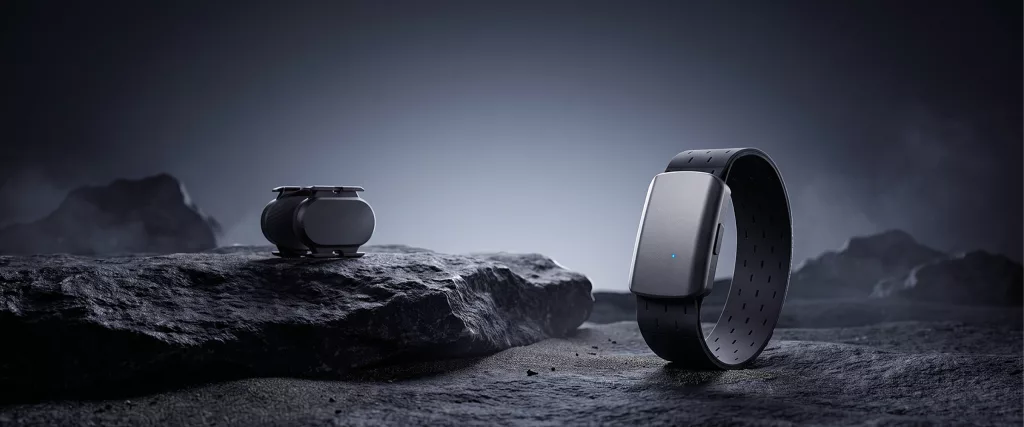
| Chest-Strap Heart Rate Sensor SPU | Replaceable CR2032; 1,000-hour reference runtime; Bluetooth 4.2 and ANT+; 30-240 bpm; IP67 | Evaluate a replaceable-battery chest-strap option |
| Rechargeable Chest-Strap Heart Rate Sensor SPU | 100-hour reference runtime; three Bluetooth channels and ANT+; 17-hour offline storage; IPX7 | Discuss multi-device and offline-recording requirements |
| Armband Heart Rate Sensor SPU | Rechargeable; Bluetooth and ANT+; forearm or upper-arm placement | Add an alternative wearing format |
These figures are reference specifications; the final configuration and available customisation options are subject to project confirmation and sample validation.
Fit and configure
As sensor types vary, ensure that the operating mode matches the installation location. Speed-mode sensors should be installed in positions specifically designated for wheel measurement, whilst cadence-mode sensors should be installed at the specified crank position. Check the clearance, the tightness of the straps and the freedom of movement throughout the entire rotation. Even with a compact housing, sufficient space must be left around the frame and crankset.
Next, switch on the sensor and pair it with the designated receiver or app. For heart rate belt sensors and chest strap sensors, please follow the instructions for your chosen method of wear.
Once these checks have been completed, the setup is ready to proceed to the evaluation stage. Successful pairing alone does not guarantee accurate readings.
Validate the readings
Once installation is complete, check the full connection workflow. In Quero Descontos’s indoor sensor comparison (Portuguese), the creator pairs speed sensors from three brands in turn. The Magene pairing segment begins around 4:06, with simulator use later in the video.
For a brand project, use it to identify checks for your own samples: wake-up, device discovery, pairing and live data. Add interruption and reconnection tests to cover what a short demonstration cannot establish.
A useful sample review goes further by comparing readings with a defined rotation reference. The following example outlines a proposed cadence check.
Example: check cadence response
-
Mount a sample in cadence mode on a suitable rotating fixture. Use an independently verified rotation reference, such as an encoder or calibrated tachometer, and record its uncertainty.
-
Pair the sample with the intended bike computer. Record the sensor hardware, firmware, receiver software, battery condition and temperature.
-
Select test points across the intended operating range. At each steady rate, record the reference rpm and displayed rpm over an agreed interval.
-
Include a start, a change in rate and a stop. Use synchronised video or timestamped logs to measure when the receiver updates. Then interrupt the connection and record recovery.
-
Compare displayed and reference readings. Report both the difference in rpm and the response delay; agree limits with the supplier before judging whether a sample passes.
For wheel-speed checks, use the same approach with wheel rotation and a documented circumference setting. This helps distinguish a rotation-detection error from a setup error. Repeating the sequence across samples and batches also makes comparisons more useful than a single matching screenshot.
Test steady rotation, then include starts, stops and changes in rate. Check vibration-related false readings, reconnection after an interruption and operation at low battery levels.
Wahoo’s troubleshooting guidance identifies installation, pairing, battery condition and interference as relevant checks. For a brand project, turn those possibilities into a repeatable test plan.
| Review area | Evidence to record |
|---|---|
| Measurement | Reference value, test points, observed error and response |
| Connectivity | Receiver, app, protocol, reconnect behaviour and software versions |
| Runtime | Battery or charging conditions, temperature, duty cycle and endpoint |
| Product consistency | Sample count, batch, hardware revision and firmware version |
Runtime needs a separate check under documented conditions. Record whether the test includes connected operation, broadcasting and sleep time before using the result for a packaging claim.
For US and European launches, test the actual receiver and app combinations intended for those markets. Provide suitable language versions of setup instructions and make unit settings clear.
Define the supply brief
The validation plan should feed into the supplier brief. Include the SPU category, target devices, operating modes, mounting constraints, power requirements and acceptance criteria.
For OEM discussions, confirm the available platform configuration, branding and supply scope. For ODM discussions, define the proposed development work and its feasibility. Neither label replaces a written agreement on what will be delivered.
Keep approved hardware and firmware versions traceable. Agree on how changes will be reviewed before they reach production.
FAQs
Can one sensor measure speed and cadence together?
It depends on the design. The reference Speed/Cadence Sensor SPU described here runs one mode at a time. Dual-protocol connectivity does not change that measurement limitation.
Can speed, cadence and heart rate share one display?
Yes, when the receiving device supports the required data types and connection combinations. Verify that setup with the intended sensors and software before making a compatibility claim.
Can a cadence sensor measure power?
Cadence alone cannot directly measure power because it does not measure torque. A training platform’s estimate is different from a direct power measurement.
Do speed sensors need GPS?
Wheel-based speed calculation can work without GPS when the system has valid rotation data and wheel circumference. Some receiving systems may use GPS for calibration or other functions.
Are the reference figures test results?
They are Magene-provided product specifications. A test claim should also identify its method, conditions and recorded results. Customised versions require confirmation against their approved specification.
Request a sensor review
Planning an OEM/ODM sensor product? Send Magene Enterprise a brief for a specification review and sample-validation discussion. Identify the SPU you are considering and the devices it needs to work with.
- To start, use the contact form’s Message field to share the measurements you need, the devices or apps you want to support, and your target markets.
- If available, add your launch timing, expected volume or sample requirements.
Request a specification and sample-validation review
You can also email sales-bd@magene.com with the same brief. Sample availability, development scope and commercial terms require confirmation before the project proceeds.